Last Updated on August 24, 2025 by Gill
Wondering if your next upgrade is a smarter CPU swap or a new graphics card? This quick guide helps you answer that with clear, data-led steps so you can stop guessing and start gaming.
AMD positions this series for high frame rates at 1080p ultra, and real tests show strong gains versus competitors. Our tool turns your CPU, RAM, storage, and game targets into an easy verdict.
Enter a few specs and the calculator will show whether your gpu is the limiter or if the processor holds back frames. You get U.S.-focused recommendations that balance cost and performance for the games you play.
Expect guidance that maps each card and product to frame-time and latency impacts at common resolutions. That way, your next upgrade is backed by numbers—not myths.
Key Takeaways
- Use the tool to see if your system is GPU- or CPU-bound for real games.
- Results translate utilization into an easy bottleneck percentage.
- Recommendations favor cost-effective changes for better performance.
- Outputs map cards and components to frame-time and latency effects.
- Analysis reflects real play targets like 1080p and common frame caps.
What Our Bottleneck Calculator Does for Your Gaming Graphics
Quick, data-driven checks tell you if your GPU or CPU is the real limiter for the games you play.
Instant insights for GPU and CPU balance
Get an instant read that shows whether your gaming graphics card is being held back by processor threads or by the graphics pipeline. The report is short and clear, with plain-English guidance you can act on right away.
We model VRAM usage, memory bandwidth, and streaming to explain stutter and scene dips. That way you see why a title may drop frames even when average fps looks fine.
Friendly guidance tailored to United States gaming setups
Recommendations account for popular U.S. libraries and esports titles so your quality performance expectations match reality. We also check common pairings with amd ryzen processors and competing geforce rtx cards to show when a CPU swap or card upgrade makes sense.
- Localized advice on product availability and expected price ranges.
- Performance summaries that flag thread contention and cache sensitivity.
- Practical tips: when to upgrade for 1080p vs move up to 1440p.
| Use Case | Likely Limiter | Action | Expected Outcome |
|---|---|---|---|
| Esports, 1080p 240fps | CPU threads / scheduler | Upgrade CPU or optimize core affinity | Higher, stable frame rates |
| AAA, 1440p ultra | GPU memory & shaders | Upgrade graphics card | Better image quality and frame-time consistency |
| Streaming + gaming | CPU encoding + GPU load | Balance CPU cores and offload encoder to card | Smoother captures with steady fps |
| Budget 1080p builds | Often GPU overkill | Prioritize price-to-performance card | Best fps for your price |
How the Bottleneck Calculator Works
This section explains the models that power our analysis and why each factor matters for real gameplay.
We recreate realistic play loops to estimate where your system loses headroom under sustained loads.
Modeling CPU/GPU utilization across real game engines
We profile per-engine thread scheduling and GPU queue depth to find headroom. Then we simulate contention that appears when post effects, ray tracing, and AI upscalers are enabled.
Accounting for resolution targets: 1080/1440
The tool scales workloads for 1080/1440 targets using test data and vendor numbers. That helps predict when the load shifts from CPU to GPU as you change resolution or frame caps.
VRAM capacity and memory bandwidth effects on performance
VRAM modeling shows how 16gb gddr6 buffers reduce asset eviction and shader cache misses in open worlds and RT scenes.
Thermal, power, and clock behavior under sustained loads
Thermal and power sims treat cooler size, fan curves, and silicon efficiency as variables. This prevents overstating sustained clocks in the final estimate.
- We factor pcie 5.0 link behavior while staying compatible with older PCIe generations.
- Port bandwidth (hdmi 2.1, displayport 2.1a) is checked so suggested frame goals match your monitor.
- AMD architectural trends (amd rdna) guide RT and shader throughput assumptions.
“All inputs compress into a single performance score and a bottleneck percentage, with clear callouts on which component is limiting you.”
| Factor | Impact | Why it matters |
|---|---|---|
| CPU/GPU queues | High | Affects frame-time and stutter |
| VRAM | Medium | Reduces asset thrash in open worlds |
| Thermals | Medium | Sustained clocks and consistent fps |
Save profiles to run quick A/B checks when you tweak settings or consider a new card or product.
Adeon RX 9060 XT at a Glance: RDNA 4 Architecture and Performance Context
This model brings RDNA 4 gains into mainstream builds, focusing on steady 1080p ultra performance with efficient power use.
Compute resources matter. XT-class silicon usually adds compute units and shader processors versus cut-down trims. More CUs and SPs raise raw throughput and lower frame-time variance when the sustained mhz boost holds under load.
The non‑XT listing shows 28 CUs (1,792 SPs), 64 ROPs, 112 TMUs, and 8 GB GDDR6 at 18 Gbps on a 128‑bit bus (288 GB/s). It lists a 132 W TBP and a 450 W minimum PSU requirement.
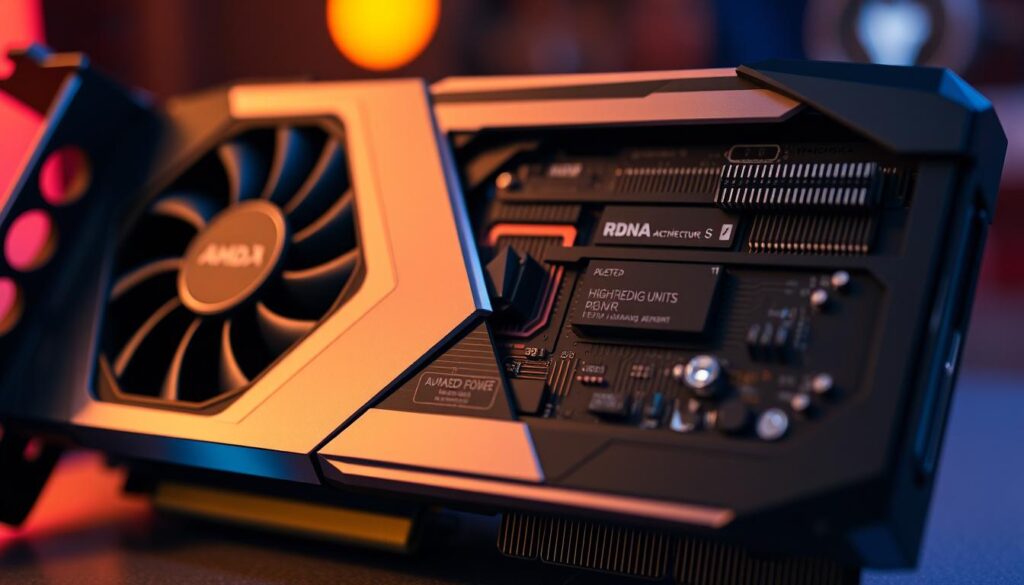
AMD’s native 1080p ultra averages illustrate typical outcomes: 188 FPS (F1 24), 153 FPS (DOOM Eternal RT), 120 FPS (God of War), 106 FPS (Horizon), and 100 FPS (Resident Evil 4 RT). Our tool translates CU/SP differences into expected fps ranges and latency impacts so you can weigh performance against price and product choices.
| Variant | Key Specs | Expected 1080p Average |
|---|---|---|
| XT-class | Higher CUs / SPs, stronger sustained clocks | Top-tier 1080p averages, better 1% lows |
| Non‑XT | 28 CUs, 1,792 SPs, 8 GB GDDR6 | High averages (100–190 fps depending on title) |
| 16GB configuration | card 16gb gddr6 footprint for textures | Improved consistency at high texture settings |
“We emphasize frame‑time consistency, not just peak fps, to judge real-world gaming feel.”
Adeon RX 9060 XT 16 GB Bottleneck Calculator
Quickly see whether your CPU, memory, or storage is limiting your gaming frame goals.
Enter core specs and get an actionable report. The tool compares your CPU, RAM, and storage against your chosen graphics card and game targets. Results show where to invest for the best price-to-performance gains.
Enter your CPU, RAM, and storage details
Input your processor model, core and thread counts, RAM speed, and whether you use NVMe or SATA storage. This reveals how those parts interact with your card at 1080p and higher presets.
Select game presets and frame rate goals
Pick esports or cinematic profiles and set a frame cap. The tool simulates common engines and maps expected fps ranges for each setting so you can see if the gpu or CPU is the limiter.
View bottleneck percentage, recommended upgrades, and price/performance tips
- The results rank limiting components and estimate 1% lows and averages.
- It suggests edition graphics card options and alternative product picks when a CPU upgrade is smarter than a new card.
- Optimization tips cover VRAM, texture pools, streaming, and settings that often affect performance the most.
- A simple price heat map helps time your purchase to get maximum value.
- Save or export profiles to compare changes as you tune your rig for gaming or creative work.
Choose the Right CPU Pairing for Your GPU
Not all processors feed a modern GPU the same way; the right match boosts consistency more than raw peak fps.
High-end gaming with AMD Ryzen 7800X3D and 9800X3D
Pairing a modern GPU with an amd ryzen 7800x3d or 9800X3D raises 1% lows and reduces frame-time spikes. This helps in CPU‑sensitive engines and esports titles where latency matters.
Balanced builds with Ryzen 5 7500F and similar CPUs
For value-focused rigs, a midrange ryzen 5 7500F keeps a midlevel graphics card fed without adding unnecessary cores. That saves on price while keeping strong performance for most games.
When a CPU becomes the limiter at 1080p high FPS
Our tool flags when 1080 1440 high‑FPS goals push CPU load past useful headroom. If averages stay high but 1% lows dip, a CPU upgrade or adjusting frame caps often fixes the issue.
Planning for 1440p to shift the load back to the graphics card
Moving to 1440 shifts demand toward the card and frees CPU cycles. That means a capable graphics card or a geforce rtx pairing will deliver more visible gains than an expensive CPU swap.
“Match your processor to your gaming goals and price targets for the best long-term results.”
Memory, Bandwidth, and Interface: Why 16GB GDDR6 Matters
Modern titles push texture pools and streaming systems hard, so memory size now shapes real-world play more than before.
More VRAM means fewer hitching events. Many recent games exceed 8 GB at ultra texture settings. A graphics card 16gb buffer lets you keep image quality without asset swaps that cause microstutter.
Card 16GB GDDR6 vs 8 GB in modern titles
Our tool models how card 16gb gddr6 reduces texture streaming pressure and shader cache thrash. It estimates the fps and 1% low differences when VRAM is overcommitted.
With a card 16gb config you can raise texture pools and anisotropy while holding frame-time consistency in large worlds and ray‑traced scenes.
PCIe 5.0 readiness and backward compatibility
Interface modeling checks pcie 5.0 and falls back to pcie 4.0 numbers so you won’t feel forced into a platform change unless gains justify the price.
We also include bandwidth and compression behavior so you see when bus width or memory speed—not just capacity—sets the ceiling for long‑term performance.
- Simple visual cues tie memory footprint to image quality outcomes.
- We flag when faster storage is the smarter purchase versus a new product GPU.
- Final recommendations match your library, performance goals, and price sensitivity.
Cooling and Design Features That Influence Real-World Results
Thermal engineering and fan durability shape sustained performance more than brief benchmark scores. Cooler quality decides if a card holds boost clocks through long play sessions. That affects steady fps more than one-off peaks.
Dual ball fan bearings and GPU Guard for sustained clocks
Dual ball fan bearings reduce friction and last longer than sleeve types. Fans that use quality fan bearings keep temperatures lower and spin reliably over months of gaming.
A dual ball fan layout plus a solid gpu guard brace prevents sag and vibration. That protects solder points and keeps the cooler aligned for consistent airflow.
2.5-slot design, airflow, and case clearance
Cards with a 2.5 slot design trade size for more heatsink surface. This slot design improves thermal headroom, but you must check PCIe clearance and cable routing in your case.
In tight chassis airflow, a slimmer product may beat a thicker, hotter card despite lower raw specs.
Dual BIOS safety and acoustics for gaming graphics
Dual BIOS lets you pick a quiet daily profile or an aggressive performance curve for testing. The calculator factors these modes into sustained fps estimates.
Finally, modest cooling upgrades often give better real-world value than chasing peak numbers—so weigh price against lasting thermals and noise.
1080 and 1440 Performance Targets: Image Quality vs. Frame Rate
Balancing image fidelity and frame rate is where many builders save money without losing the feel of a game.
Optimizing for 1080p ultra and esports frame caps
1080 is where triple‑digit averages are realistic on many modern titles. Pick ultra presets that keep textures and shadows high but trim expensive post effects to stabilize frame‑time.
For esports frame caps, prioritize CPU headroom and latency over maxed eye candy. Match settings to your monitor refresh and set a sensible frame cap for smoother input response.
Moving to 1440 for image quality without overspending
Stepping up to 1440 buys clarity and reduces aliasing with a modest performance hit on capable graphics cards. If you already hit esports caps at 1080, 1440 is a practical way to improve visuals.
Our estimates place common midrange cards near the same class rivals at 1080 averages, and many of those cards scale well to 1440 with small setting trims.
HDMI 2.1 and DisplayPort 2.1a considerations
Choose HDMI 2.1 or DisplayPort 2.1a based on your monitor features. Both links support high refresh and HDR pipelines, but cable and panel bandwidth must match your fps goals to avoid limiting the experience.
The results page will call out when your link choice or panel forces a change, and it adds price‑aware advice on whether to buy a new monitor or tweak settings first.
“Small setting trims can recover large fps without obvious visual loss — a smart move before any purchase.”
- The tool maps fps bands for 1080 and 1440, showing which sliders give the best performance payoff.
- It flags CPU‑bound scenes where reducing shadows or crowd detail helps more than a new GPU.
- Final outputs include price and purchase timing guidance so you don’t overspend chasing tiny gains.
| Target | Typical Action | Expected Outcome |
|---|---|---|
| 1080 esports cap | Lower post effects, keep textures | Stable high fps, low latency |
| 1440 visual upgrade | Minor shader/textures trim | Clearer image, moderate fps drop |
| High refresh HDR | Use HDMI 2.1 / DP 2.1a | No link bottleneck, full panel features |
Competitive Landscape and Upgrade Paths
Where a mid-segment card sits among rival options helps you plan the smartest upgrade.
Testing shows the non‑XT-class board averages about 19.8% faster than the GeForce RTX 5050 and roughly 2% behind the GeForce RTX 5060 at 1080p across ten benchmarks. Expected retail price lands near $275, though availability may be OEM‑only at first.
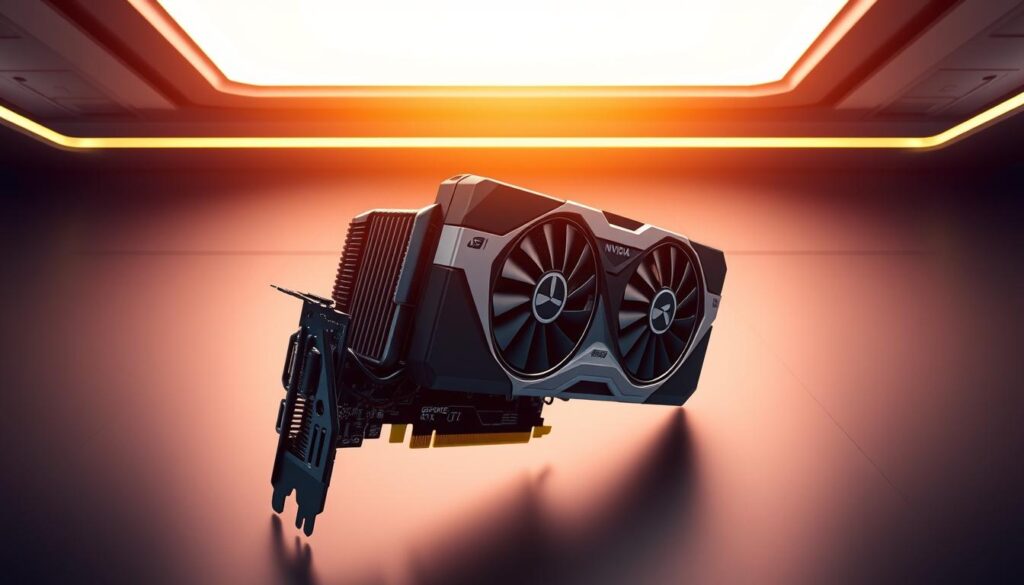
Where it sits versus GeForce RTX 5050 and 5060
Practical takeaway: the card beats the 5050 by a clear margin and trades blows with the 5060. That means for many 1080p builds, a straight swap to the tested board yields solid gains without a large price jump.
Planning leaps to GeForce RTX 5070 or edition 16gb cards
If you’re eyeing a geforce rtx 5070 or rtx 5070‑class upgrade, our tool maps expected fps gains at 1080p and 1440p and flags whether your CPU or pcie 5.0 platform will limit returns.
Edition 16gb models mainly help with heavy texture pools; for most libraries, the extra VRAM is useful only in specific open worlds and RT scenes.
ASUS Prime Radeon, TUF Gaming, and Gigabyte Radeon board options
Board partners change cooling, warranty, and noise. ASUS Prime Radeon and tuf gaming variants often tune clocks and acoustics differently than gigabyte radeon designs.
Use the tool to see how different coolers affect sustained fps and which product gives the best price-to-performance for your purchase timing.
- We translate benchmark deltas into real game expectations.
- Upgrade ladders show perf-per-dollar to rtx 5070 targets.
- Price comparisons and platform notes guide whether to buy now or wait.
“Our recommendations weigh sustained frame-time and noise, not just peak fps.”
Availability, Price, and Purchase Timing
Stock status and price windows shape the smartest path to upgrade.
Stock shortages and OEM-only listings change the DIY upgrade path for many builders.
Current availability: Technosaurus reports the non‑retail product is OEM‑only now, while tested Sapphire Pulse AMD units showed around $275 street pricing and performance near a GeForce RTX 5060. That means many buyers must consider partner video card alternatives or step to adjacent tiers when the exact SKU is hard to find.
Our tool flags equivalent performance brackets so you can target a product that fits your budget even if a specific edition graphics card is restricted to prebuilts.
How to decide: timing and checks
- Watch seasonal sales and clearances — price drops often beat waiting for elusive stock.
- If an OEM bundle looks cheap, inspect PSU quality, airflow, and upgradeability before purchase.
- When Pulse AMD boards hit retail, cooling and warranty will affect long‑term value.
| Price Band | Typical Product | Expected 1% Low | Suggested Action |
|---|---|---|---|
| ~$250–$300 | Sapphire Pulse AMD / midrange card | Stable 1% lows vs peers | Buy if stock available and PSU is solid |
| $300–$400 | Adjacent tier / GeForce RTX competitor | Higher 1% lows, better sustained clocks | Consider for smoother long sessions |
| $400+ | Upper midrange edition graphics | Top 1% low improvements | Buy only if frame targets require it |
Quick purchase plan: use the price heat map, compare expected 1% lows, then prioritize purchase timing that matches your budget and gaming goals.
Conclusion
In short: the data maps your system limits to cost‑effective upgrade choices you can act on today.
If the CPU is the limiter, consider amd ryzen pairings like the amd ryzen 7800x3d or other amd ryzen tiers to lift 1080 1440 performance without swapping the graphics card first.
If a graphics upgrade is best, sensible hops include an edition graphics card or an edition 16gb step up, then moves toward rtx 5070 / geforce rtx 5070 class parts with pcie 5.0 readiness in mind.
Cooling and build quality matter: check for ball fan bearings, dual ball fan layouts, a sturdy gpu guard, dual bios options, and a 2.5 slot design so sustained mhz boost and acoustics hold up in long sessions.
Finally, match hdmi 2.1 or displayport 2.1a to your monitor, favor 16gb gddr6 memory headroom on amd rdna builds, and pick among asus prime radeon, prime radeon, tuf gaming, or gigabyte radeon boards when price dips signal a good purchase.
FAQ
What does the bottleneck tool evaluate for my graphics card and CPU pairing?
How do I use the calculator to get meaningful recommendations?
Will the calculator tell me when my CPU is the limiter at high refresh rates?
How does changing resolution to 1440p affect which part of the system is the bottleneck?
Does VRAM size and memory bandwidth matter for modern titles?
Is PCIe 5.0 support important for current gaming performance?
How do cooling choices like dual ball fan bearings and 2.5-slot designs affect sustained performance?
What role does dual BIOS play in real-world gaming use?
Which CPUs pair best for high-end gaming with this class of GPU?
Should I upgrade to a GeForce 5070-class card or stick with a similar Radeon edition?
How do HDMI 2.1 and DisplayPort 2.1a features influence monitor choices?
What should I know about availability and pricing when buying a new card?
Can the tool suggest component upgrades within my budget?
Does the calculator consider sustained thermal throttling and fan acoustics?
Are there presets for esports titles versus AAA single-player games?
How often should I rerun the analysis after upgrades or driver updates?

Follow Gill for the latest tips on CPU/GPU balance, PC upgrade guides, and hardware troubleshooting.Gill is the founder of PC Bottleneck Calculator, a free online tool designed to help users identify and fix performance issues in their PC builds. With years of hands-on experience in computer hardware and system optimization, Gill is passionate about making complex tech concepts simple and accessible for everyone—from beginners to gamers and PC builders. His mission is to help users get the most out of their systems through smart analysis and expert insights.
Follow Gill for the latest tips on CPU/GPU balance, PC upgrade guides, and hardware troubleshooting.
- NVIDIA RTX 6000 Ada Generation 48 GB Bottleneck Calculation - October 17, 2025
- Optimize Your GeForce RTX 5070 Performance with Our Bottleneck Tool - October 2, 2025
- GeForce RTX 5090 Bottleneck Calculator: Optimize Your Setup - October 1, 2025